


Shopping for discounted designer and everyday brands can be exciting, but it can also become tiring when you have to sort through changing stock, compare sizes, and decide whether an offer is genuinely useful. I found Nordstrom Rack most appealing as a mobile companion for that kind of browsing rather than as a complete replacement for every other way of shopping. It is a free shopping app from Nordstrom, Inc., designed to put the Rack experience on an Android phone and make brand-focused bargain hunting easier to start wherever I am.
My overall impression is positive, with one important qualification: the app is most valuable when I already know what sort of item, brand, or discount hunt I want to pursue. It is less convincing if I expect a perfectly predictable catalog, a universal marketplace, or the kind of detailed product research tools found in specialist shopping services. The experience depends heavily on the appeal of Nordstrom Rack itself, so the right question is not simply whether the app is polished. It is whether Rack’s selection and shopping style match the way I buy clothes, shoes, accessories, and related products.
What the app is really useful for
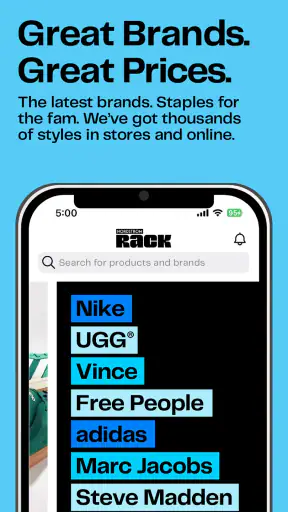
The basic role is straightforward. Nordstrom Rack gives me mobile access to a discount-oriented department-store shopping experience, with an emphasis on recognizable brands at lower prices. That makes it useful during small gaps in the day: checking for a particular type of shoe before leaving home, browsing clothing while commuting, or looking through gift ideas without opening a laptop.
I would not treat it as a normal social feed or an endless entertainment app. Its value comes from making a shopping task more convenient. When I have a clear goal, the phone format helps me move from browsing to a decision quickly. When I have no goal at all, the changing nature of discounted inventory can make the experience feel more like searching through a moving target.
That distinction matters because off-price shopping rewards flexibility. A specific color, size, or brand may not remain available for long, while an item that looks promising on one visit may not be the best choice once I compare its material, fit, and return practicality. I found it helpful to use the app as a discovery and checking tool, then slow down before committing to something simply because the displayed price looked attractive.
The app has been available since November 16, 2015, and the current Android release is version 12.7.0.222. It supports Android 9 and later, so people using older phones may need to check compatibility before planning around it. The age rating is Everyone, which fits a general retail app rather than a service aimed at a narrow audience.
How I approached a realistic shopping trip
Imagine that I need shoes for an upcoming event but do not want to pay full department-store prices. I would begin by deciding what matters most: a formal appearance, a comfortable heel, a neutral color, or a particular brand. I would then use the app to browse the available choices instead of searching without limits. That first decision prevents the common off-price mistake of collecting interesting products without solving the original need.
Once I found a candidate, I would inspect the product information carefully and compare it with my own wardrobe. Discounted shopping is not automatically economical if the item requires special care, does not work with anything I own, or is difficult to exchange. I would also check whether the size and color combination I want is actually selectable, rather than assuming that a product page means every variation is available.
This workflow reveals one of the app’s practical strengths: it can shorten the distance between inspiration and a concrete shopping list. It also reveals its limitation. The app cannot make an uncertain purchase certain. I still need to judge fit, fabric, delivery expectations, and the consequences of choosing a marked-down item.
Where it compares well with ordinary alternatives
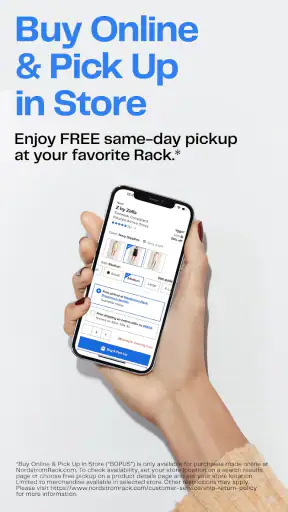
Compared with visiting a physical Rack store without a plan, the app gives me a quieter way to scan possibilities before spending time traveling. It is especially useful when I want to know whether a shopping trip is worth making or when I am looking for a gift and need to narrow the field first. The phone also makes it easier to revisit an item later instead of trying to remember what I saw on a crowded rack.
Compared with broad online marketplaces, the experience feels more focused on Nordstrom Rack’s own retail identity. That can be a benefit for shoppers who prefer a recognizable department-store environment over a huge mixture of independent sellers. I am less likely to use it when I want the widest possible selection, extensive seller comparisons, or a marketplace that treats every product category equally.
Compared with the main Nordstrom shopping experience, the Rack app is better suited to someone whose priority is finding reduced-price merchandise rather than browsing a full-price assortment. That focus is useful, but it also means I should not expect the same shopping logic as a traditional luxury or department-store catalog. The bargain element is central to the experience, and availability can be less predictable.
Trust, controls, and moments that deserve attention
Trust in a shopping app is not only about whether the screen looks professional. I also want to know what choices I am making, when an account becomes necessary, what information I am entering, and whether I can stop without feeling pushed into a purchase. In my review, I found it more sensible to evaluate those questions directly than to assume that a familiar retail name answers them automatically.
What I would verify before signing in
Before creating or using an account, I would read the permission prompts and privacy explanations shown on my particular device and app version. Those screens are the right place to judge whether a requested access makes sense for the task I want to perform. I would not grant a permission merely because the app is free or because I recognize the developer.
The developer is Nordstrom, Inc., and the app has a substantial presence on Android, with over one million installs. It also holds a 4.8 average from roughly seventeen thousand ratings and about two thousand eight hundred written reviews. Those figures suggest that many shoppers find it useful, but they do not replace my own check of account settings, checkout details, or device permissions.
I also prefer to separate browsing from commitment. If I can look through products before signing in, I would do that first. It lets me decide whether the selection is relevant before I provide personal details. If an account is needed for a later step, I would create it only when the benefit is clear, use a unique password, and review any communication preferences rather than accepting every option automatically.
Data-sensitive moments during shopping
The most sensitive moments are not always dramatic. They can happen when I enter a delivery address, save payment information, select a store-related option, or allow notifications. Each choice connects the app more closely to my real shopping habits. I would pause at those points and ask whether saving the information genuinely saves time for me.
For a one-time purchase, I may prefer entering details manually and avoiding unnecessary saved information. For regular shopping, account convenience may be worthwhile, but I would still review the account controls periodically. A phone can be shared, lost, or replaced, so I would use device security and sign out of shopping accounts on devices that are not exclusively mine.
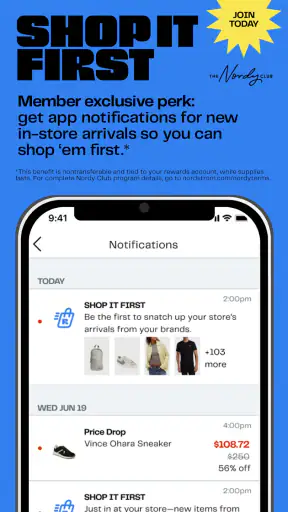
Notifications deserve the same practical caution. They can be useful for reminders or shopping updates, but constant retail alerts can turn casual browsing into pressure. I would allow only the notices that help me manage an actual purchase or a deliberate shopping goal. If the alerts become distracting, disabling them is a reasonable part of using the app well, not a sign that the app has failed.
I would also avoid entering sensitive information into customer-service messages unless it is clearly required and the channel is appropriate. Order questions should be handled through the app’s visible support path or an official Nordstrom channel, not through an unsolicited message or a link received elsewhere. That habit protects me from confusing a legitimate shopping task with a phishing attempt.
Keeping control over the purchase
My strongest advice is to treat the cart as a review stage, not as a finish line. Before paying, I would check the selected size, color, quantity, delivery details, and total shown at checkout. I would also read the current return information for the item and consider whether a reduced-price purchase has any special conditions. These checks are particularly important when I am buying clothing or shoes, where fit can matter more than the initial discount.
I would not assume that an item saved in a cart is reserved indefinitely. Discount retail inventory can change, and a product that appears available during browsing may not remain available through every step. If I need something for a fixed date, I would leave enough time for a replacement plan instead of relying on one attractive listing.
Another useful habit is taking a moment to compare the app’s offer with the value of an alternative. A lower displayed price is meaningful only if the product suits my needs and the complete purchase remains sensible. If I am buying a basic item with no brand preference, a local store or a general retailer may be faster. If I am hunting for a particular reduced-price brand, Rack becomes more compelling.
Who should use it and who should skip it
I would recommend the app to shoppers who enjoy browsing branded clothing and accessories while staying price-conscious. It is a good fit for someone who likes discovering unexpected deals, wants a mobile way to check Rack merchandise, and is comfortable making decisions in a catalog where selection can shift.
It is also useful for people who prefer researching at home before visiting a store. I can use the phone to form a shortlist, note the details that matter, and avoid wandering without a purpose. That does not guarantee that a physical visit will produce the same result, but it can make the trip more intentional.
I would suggest skipping it if I wanted a highly specialized search experience, a broad marketplace with many independent sellers, or a predictable supply of one exact product. It may also be a poor match for anyone who finds deal browsing stressful or tends to buy unnecessary items because a discount feels urgent. In that situation, a simple shopping list and a retailer with stable basics may be the better choice.
Small habits that improve the experience
- Start with a use case, not a discount: decide whether I need workwear, occasion clothing, footwear, or a gift before opening a large selection.
- Check the complete variant: confirm the selected size and color instead of relying on the first product image or headline price.
- Use the cart as a cooling-off period: review fit, wardrobe compatibility, delivery timing, and return implications before payment.
- Keep notifications intentional: allow only the alerts that support a real order or a shopping plan.
- Review account choices: remove saved details or sign out on shared devices, and use a unique password if I create an account.
These habits are not complicated, but they change the app from a source of impulse purchases into a more controlled shopping tool. The most non-obvious trade-off is that convenience can make browsing feel harmless even when it is shaping my buying decisions. A clear purpose protects the budget better than any attractive product page.
My cautious verdict
Nordstrom Rack is a worthwhile free shopping app for people who specifically enjoy the combination of known brands, changing availability, and lower-price discovery. I like it most when I use it to research a need, compare realistic options, and decide whether a purchase or store visit makes sense. The app’s strong rating and large installed audience support the view that it works well for many shoppers, while the Everyone age rating makes it approachable for general household shopping.
Still, I would not call it the best shopping tool for everyone. Its usefulness depends on being comfortable with an off-price assortment rather than expecting a stable inventory of exact items. I also would not treat popularity as a substitute for checking permissions, account controls, privacy choices, and checkout information on my own phone.
My recommendation is therefore measured: try it if Nordstrom Rack’s brands and discount-focused selection match your habits, especially if you want to browse before making a trip. Use it with a shopping plan, keep personal-data choices deliberate, and verify the final order carefully. If you need maximum predictability or the broadest possible marketplace, another retailer may serve you better. For focused bargain hunting with a familiar retail name behind it, however, the app is a practical starting point rather than a reason to abandon careful shopping judgment.


